Feature 01
Simple onboarding
Keep signup short and guide sellers through the essentials of setting up their store.
Start with the essentials
Store setup
Your store starts here.
Store name
Email address
Continue setup
ePettyshop began as an idea to help small businesses establish a trusted online presence. Over the past three years, the platform has evolved into a complete e-commerce solution supporting merchants across different stages of their digital journey.
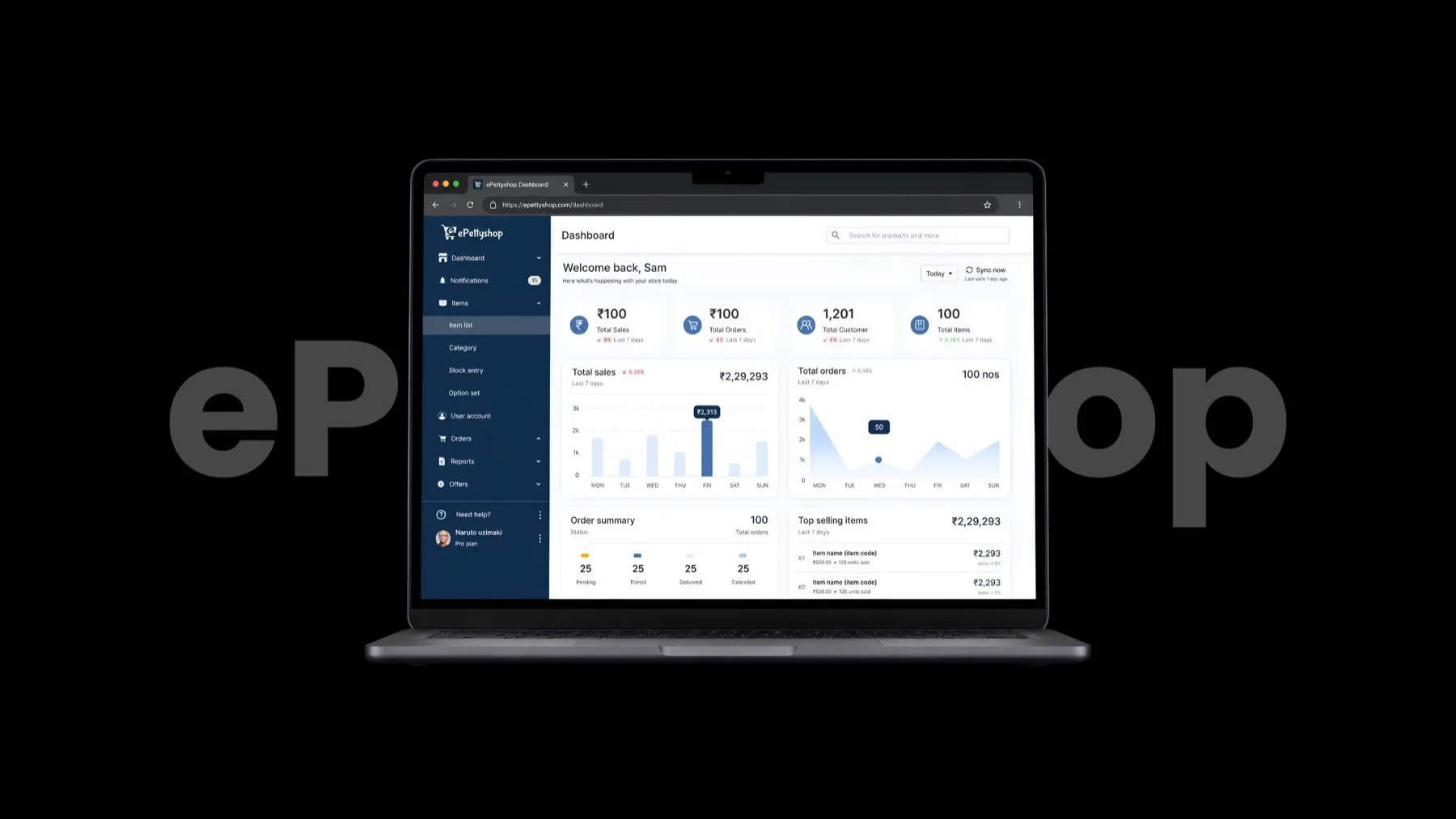
Small businesses across Tamil Nadu were already selling through WhatsApp and Instagram, but lacked a professional online presence, customer trust, and efficient tools to manage their business.
We found that many small sellers in Tamil Nadu were still relying on Instagram, WhatsApp, and word of mouth to run their businesses. Existing e-commerce platforms often felt too expensive or complicated for the way they worked.
So we saw an opportunity to build something around their everyday needs. A simple, seller-first platform with local support that helps them set up, manage, and grow their online business with ease.
01 / The issue
Ordering through messages
Customer ↔ Seller
Illustrative conversation, not a research quote.
The seller had to connect everything.
Without a dedicated storefront, orders lived in conversations. Tracking was manual, payments needed follow-up, and checkout lacked trust.
02 / The solution
The everyday store
Illustrative flow · Sample product and order
That’s why we created ePettyshop.
We set out to bring a professional storefront, simpler order management, and a trustworthy checkout together—without the cost and complexity sellers faced, and with local support.
Illustrative product direction · Not measured outcomes
Understanding how small businesses sell today and identifying the challenges preventing them from growing online.
Market research revealed the opportunity. Qualitative research—interviews, contextual observation, and task-based usability tests—helped us understand the people behind it: their goals, behaviours, and everyday frustrations.
Merchant discovery / Namakkal
Understanding how small businesses capture orders, confirm payments, and get parcels out the door.
01 / Participants & context
Namakkal · Ages 24–52
Retail and home businesses: first-generation digital sellers alongside established offline shopkeepers.
Orders primarily through
WhatsApp Business & phone calls
02 / Methodology applied
On-site observation during peak morning and evening hours, mapping order capture, payment reconciliation, and dispatch.
30-minute direct discussions about inventory tracking, customer communication drop-offs, and payment confirmations.
03 / Core friction & data
Product enquiries in chat, UTR screenshots for payment checks, and separate records for stock availability.
30–40%
Estimated customer-interest drop-off
During availability back-and-forth and the wait for payment confirmation screenshots.
“Customers ask price and photo on WhatsApp, send a screenshot of GPay, but by evening I can’t match who paid for which parcel without checking my bank SMS.”
04 / Key findings
Information was scattered. Sellers managed enquiries, payments, and stock across different tools.
Payment checks took time. Sellers had to match screenshots and bank messages with each order.
Orders couldn’t move forward. Sellers needed to verify payments before confirming orders.
Customers had to wait. Stock checks and payment follow-ups added friction to the buying journey and risked losing sales.
Preview note: uses your supplied participant details and quote. Confirm the measurement basis for the 30–40% estimate before publishing.
Customer experience / Tamil Nadu
Understanding what stops mobile-first shoppers from completing a purchase with a social seller.
01 / Participants & methodology
Who / Target shoppers
18 regular mobile shoppers buying through Instagram DM shops, WhatsApp catalogs, and standard e-commerce platforms.
How / Research methodology
Observed browsing, price enquiries, and test purchases through social-seller workflows versus a web link.
Explored recent unfulfilled purchases, payment hesitations, and delivery tracking frustrations.
02 / Customer survey
Customer survey
Shopping through social sellers
Recreated visual · illustrative questions, not a raw response
Q4 · What slows down your purchase?
Q6 · What worries you about payment?
Google Forms · Illustrative survey mockup
03 / Research findings
Payment trust
No automated receipt or clear dispatch timeline.
Product discovery
Unsorted images and no instant stock or variant information.
Delivery clarity
Uncertainty about order status after purchase.
“I hate having to message 'PP' (price please) and wait 3 hours just to know if a dress is in stock or if they deliver to my pin code.”
04 / Key findings
“PP” fatigue. Shoppers had to wait for replies about price, stock, and delivery before deciding to buy.
UPI verification anxiety. Sending money to a personal phone number felt unsafe without an instant receipt or estimated dispatch date.
Catalog fatigue. Browsing 100+ unsorted images made it harder to find products. Shoppers wanted stock status, size and colour selectors, and direct UPI checkout.
Typography, colour, design principles, and an adapted Ant Design interface for ePettyshop.
I set a clear visual foundation for ePettyshop: readable type, a confident blue, and familiar patterns that help sellers scan and manage their products.
Typography / Inter
A neutral sans-serif keeps product names, prices, and stock details easy to scan.
Colour / Interface roles
The brand blue marks primary actions and the current location. Neutral surfaces keep dense inventory information calm and readable.
Brand blue
#3F72AF
Text
Primary content
Surface
Quiet backdrop
Divider
Structure
Design system / Ant Design patterns
Form controls
Text input
Select
Text area
Segmented control
Inventory table
Table rows, status tags, and pagination
| Product | Category | Status | Stock | Price |
|---|---|---|---|---|
| Handwoven cotton tote | Accessories | Active | 24 | ₹899 |
| Everyday linen shirt | Apparel | Low stock | 3 | ₹1,499 |
Clear
Make item, stock, and price information easy to scan.
Familiar
Use common search, table, and pagination patterns.
Efficient
Keep frequent item-management actions close at hand.
Our primary objective was simple:
Reduce friction in the signup flow, simplify store setup, and help sellers publish their first products within 10 minutes.
Explore the features with the arrows or swipe.
Exploring the strategic product decisions that shaped the merchant experience and laid the foundation for a scalable e-commerce platform.
Every product decision was driven by one guiding principle: make online selling easier for small business owners. Rather than introducing more features, the focus remained on simplifying workflows, reducing friction, and building only what merchants truly needed.
Most existing commerce platforms expected merchants to understand complex e-commerce concepts, creating a steep learning curve for first-time sellers.
The product was designed around familiar selling behaviors, allowing merchants to transition naturally from WhatsApp and Instagram selling to a complete online store.
Managing products across multiple screens increased effort and made catalog creation unnecessarily complex.
Product creation was consolidated into a single workflow where merchants could manage pricing, inventory, images, SEO, shipping, and variants from one place.
Forced context switching across 5 separate configuration pages. High rate of form abandonment and catalog errors.
All settings consolidated on a single page. Reduced catalog creation friction by 60% with instant visual feedback.
The product roadmap contained many ideas, but limited time and resources required a focused first release.
Prioritized only the features required for merchants to successfully launch and manage an online store, while planning advanced capabilities for future iterations.
Project phases, testing checkpoints, milestones, and release versioning.
The project was divided into design-discovery, prototyping, user-validation, and developer-integration phases. We utilized weekly review syncs to maintain alignment across teams.
Post-launch optimization, product scaling statistics, and server load details.
Post-release metrics indicated high query response bottlenecks. We partnered with technical leads to restructure query parameters, optimizing page performance for scaling workloads.
Optimized query structures and database indexing prevented response time spikes, maintaining sub-150ms execution speeds even as concurrent merchant traffic scaled beyond 500 concurrent connections.
Business ROI, behavioral outcome metrics, and user feedback surveys.
We achieved substantial workflow enhancements. The layout highlights three primary quantitative indicators:
Lessons learned, design limitations, constraints, and professional growth takeaways.
Reflecting on this product launch, key lessons include:
Reducing visual clutter and sticking to layout patterns saved time for active users during daily transactions.
Validating layouts with low-fidelity sketches saved weeks of developer rebuilds by capturing workflow errors early.
Daily design-developer alignment ensured that layout ideas were feasible within the strict constraints of the dev sprint schedule.